IC-M200: channel watch and scanning
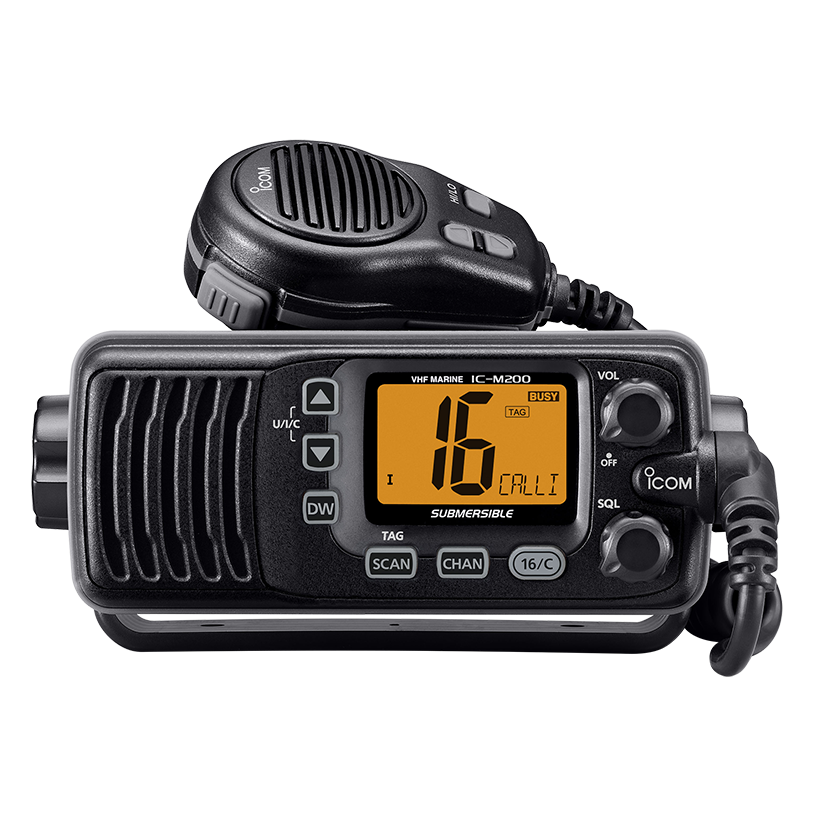
The work channel, call channel and channel 16 are different points of attention of the operator. When buying an Icom IC-M200, it’s helpful to decide whether you need to watch two or three channels or browse a list. For these tasks, the station provides Dualwatch/Tri-watch and scanning. Similar names do not mean the same behavior, and the number of channels observed does not turn into the same number of conversations simultaneously heard.
One working channel and priority surveillance
Dualwatch monitors channel 16 when operating on a selected channel. Tri-watch also includes a call channel. This is convenient when the main conversation channel is known in advance and the operator does not need a constant search of a large selection.
Instruction IC-M200 describes the priority of the channel 16: if a signal is detected on it, the observation is suspended on this channel until the signal disappears. When active on the call channel, Tri-watch temporarily switches to Dualwatch. Therefore, it is better to discuss the function through specific situations, rather than the advertising formula “listens all at once”.
For example, for a post with one agreed work channel, it is first determined whether another call channel is needed. Then check whether the operator understands why the station switched attention and what state is displayed. The desired mode and group of channels should correspond to the actual communication system, and not remain a random setting of the demonstration sample.
Channel listing is another task
A normal scan looks at marked channels. The instructions for their inclusion in the list use TAG tags. Priority scanning adds control of channel 16. Unlike Dualwatch/Tri-watch, the initial task here is to select multiple channels, rather than one selected working channel with additional surveillance.
| Requirement for the workplace | Function for discussion | Check it out |
|---|---|---|
| One working channel and channel 16 | Dualwatch | Transition of attention at the signal on the 16th channel and clarity of the indication |
| Work, call and channel 16 | Tri-watch | Behavior at call channel activity and Channel 16 priority |
| Set of selected channels | Normal scan | What channels are marked by TAG and are in the right group |
| Selection plus Channel 16 priority | Priority scan | List, priority and resumption of surveillance |
| The operator needs to constantly receive a specific conversation. | Separately agreed working arrangements | Is the automatic search appropriate for the current task? |
Why the station is delayed or returns to search
The instructions separately describe the parameters for the resumption of scanning. Depending on the setting, it can wait for the signal to disappear or resume on a timer under the prescribed conditions. Therefore, the expectations of “the conversation is still going, and the station has gone on” and “it is always on the same channel” require checking the selected mode and settings.
When comparing quotation, it is useful to ask for a consistent script to be shown on a specific configuration. It should be known the working channel, the TAG list, the call channel if necessary and the required behavior after the end of the reception. This is a demonstration of the logic of the workplace, not a promise to hear every transmission whenever the ether is loaded.
From setup to comfortable post
The feature is useful if the operator distinguishes between normal scanning and Dualwatch/Tri-watch surveillance. At the shift post, the order of work should be fixed equally: the appointment of the chosen mode, a clear indication and a way to return to normal work. Otherwise, the same stations can behave differently only because of the settings left.
For multiple posts, it is not necessary to copy one list to all. Different workplaces may require different channels and scenarios. In the query, list the roles of operators and the exchanges you want, and then agree on the configuration of each installation. External speaker, microphone and placement help to use the post, but do not change the logic of priorities.
Order the IC-M200 with a clear composition
The River Marine Pro card lists the Icom IC-M200 kit with an antenna and documents for RUB 138,000. The exact list, condition, availability and applicability of documents are confirmed in the quotation. The photo shows a station and a handheld microphone; the antenna, the feeding part and the installation work are not confirmed by the picture.
Send the number, purpose of posts, groups and work channels used, information about the antenna and power supply. Indicate whether you need to set up the surveillance mode and demonstrate the described behavior. By the city of receipt, we will calculate delivery to your region, and by the details we will prepare a quotation for an agreed set with separately specified works and accessories.
One selected working channelDualwatch: additional channel 16; Tri-watch: additional call and channel 16
Selection of marked channelsNormal scan: TAG channels; Priority scan: TAG channels + 16th channel control
Channel 16 has the priority specified in the instruction. Observation does not mean multiple independent simultaneous conversations.
Questions before buying
Tri-watch allows you to hear three conversations at the same time.
This is a mode of monitoring selected, call and 16 channels with the described priorities. It does not mean three independent conversations simultaneously heard.
How is Dualwatch different from scanning?
Dualwatch is associated with the selected work channel and channel 16. The scan scan looks at a selection of TAG-marked channels; the priority option additionally controls the 16th.
Why does the scan go back to the end of the signal?
This may depend on the mode chosen and the resumption timer. The necessary behavior is coordinated and checked according to the instructions of the specific configuration and the working scenario.
The main product in our catalog
Icom IC-M200
See the product card for the current price. availability and composition are specified. The status, options and composition are confirmed in the quotation.
Request a quoteDocumentation: Icom Inc., official description of the IC-M200; Instructions for operation of IC-M200, Russian translation, 17 pages; PDF p.9-12. These provisions relate to these editions; the applicability to the proposed configuration is specified separately.